

Due to coronavirus, more people will be doing their festive shopping online this year. This means more opportunities for hackers to carry out cyber attacks.
| They often do this by targeting people and businesses using: * email and website scams * malware - software that can damage your device or let a hacker in * If hackers get into your device or accounts, they could access your money, your personal information, or information about your business. You can improve your cyber security by taking six actions: 1 - Use a strong and separate password for your email If a hacker gets into your email, they could: * reset your other account passwords * access information you have saved about yourself or your business * Your email password should be strong and different to all your other passwords. This will make it harder to crack or guess. 2 - Create strong passwords using 3 random words When you use different passwords for your important accounts, it can be hard to remember them all. A good way to create strong, memorable passwords is by using 3 random words. Do not use words that can be guessed (like your pet’s name). You can include numbers and symbols if you need to. For example, “RedPantsTree4!” 3 - Save your passwords in your browser Saving your password in your browser means letting your web browser (such as Chrome, Safari or Edge) remember your password for you. This can help: * make sure you do not lose or forget your passwords * protect you against some cyber crime, such as fake websites It is safer than using weak passwords, or using the same password in more than one place. 4 - Turn on two-factor authentication (2FA) Two-factor authentication (2FA) helps to stop hackers from getting into your accounts, even if they have your password. 5 - Update your devices Out-of-date software, apps, and operating systems contain weaknesses. This makes them easier to hack. Companies fix the weaknesses by releasing updates. When you update your devices and software, this helps to keep hackers out. 6 - Back up your data Backing up means creating a copy of your information and saving it to another device or to cloud storage (online). Backing up regularly means you will always have a recent version of your information saved. This will help you recover quicker if your data is lost or stolen. For more information, and step-by-step instructions, please visit cyberaware.gov.uk |
|
Message Sent By: |
 Continued parking chaos at Wrexham Maelor Hospital
 Residents invited to have their say on draft Transformation Strategy
 Family of "beautiful" son who died following Chester collision pay tribute
 Chester and Wirral Football League - Weekend Round Up
 Back to the Future event to be held at Picturehouse Cinema
 Children and families in Cheshire to benefit from new Child Focused Courts approach
 Residents invited to help shape the future of Whitby Park
 WREXHAM COMMUNITY THEATRE COMPANY RETURNS WITH BRAND NEW SHOW IN TIME FOR HALLOWEEN
 Blues Match Report: Lower Breck 1 - 2 Chester
 Appeal for information following serious collision in Chester
 Parents warn of “catastrophic tragedy” as school transport cuts leave 11-year-olds stranded on the A41
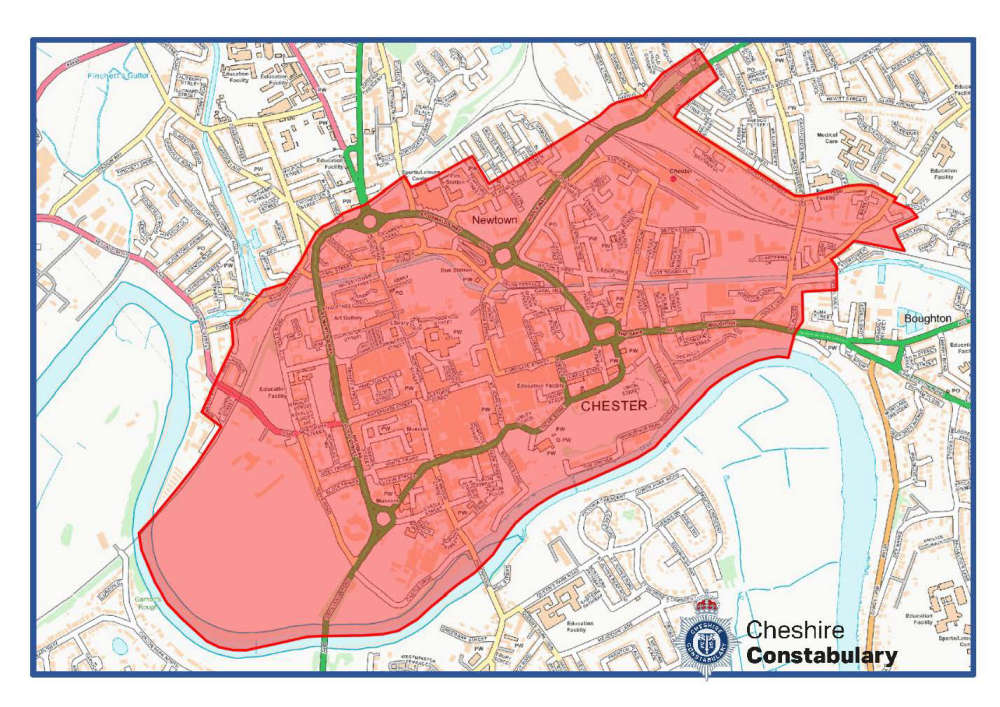 Live Facial Recognition technology to be deployed in Chester this weekend
 Road to reopen as part of town centre
 £1 bus travel launched for young people across Cheshire West and Chester
 Peak Cluster carbon capture and pipeline project in Cheshire West and Chester
 Officers out in force in Blacon for Operation Decisive
 Neighbourhood Plan and Neighbourhood Development Order finalised for Blacon